Make your own speaker
A person who stands on your page and speaks: face moving, real voice, no frame around them. Start by choosing one of three, because the rest of the work depends on it.
To make your own speaker: give your Claude the recipe, then ask
First, once per machine. Your Claude does not know this recipe until you give it to it. The recipe is a small file called make-your-speaker. Install it with one command in your Claude Code:
npx skills add gfrankgva/studio-skills
Or take the file yourself: 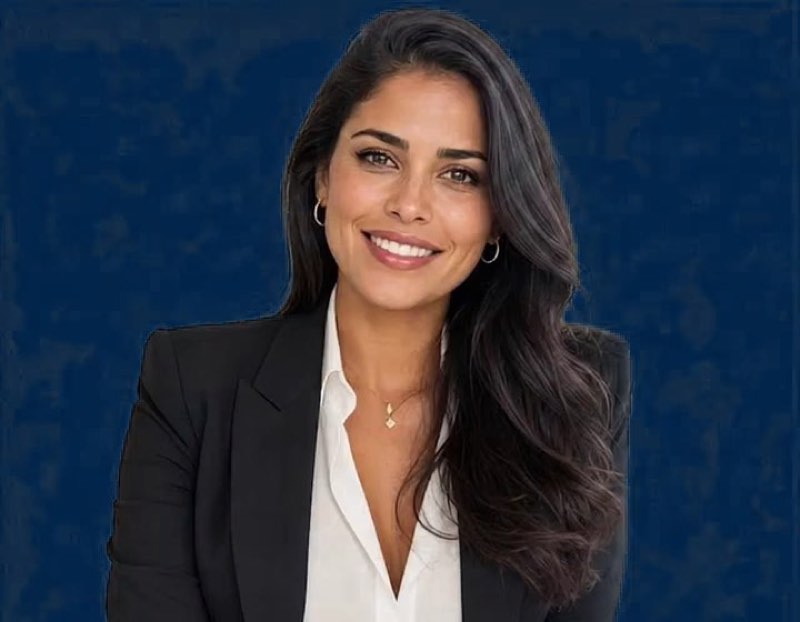 download make-your-speaker and put it in
 ~/.claude/skills/make-your-speaker/. More ways, and what else is in the pack: further down this page.
Then just ask, in your own words: « Make me my own speaker. » It will ask which of the three you want, then take you through it.
Which one do you want?
Take one that exists
Three speakers are built and stored, with their voices: Valentina (Spanish, moving), Zalia (French, still), Grace (English, still). They are shown, at every size, on 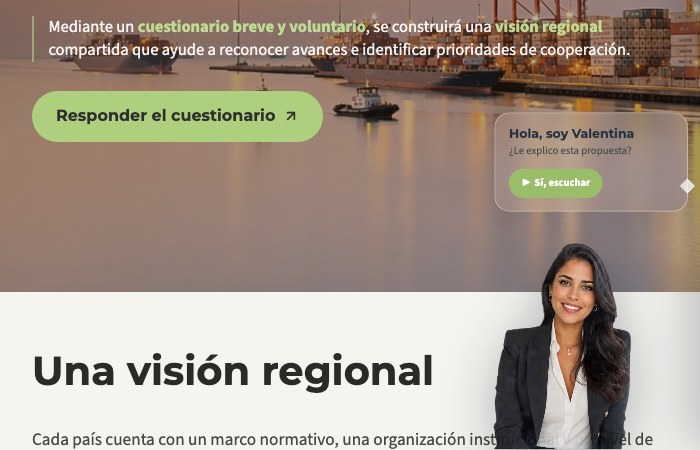 the Speakers page.
Tell Claude Code:
put Valentina on this page
Nothing to generate, nothing to pay. If the language or the register does not fit, do not force it — take choice 02.
A new speaker, who is not you
You are not choosing from a catalogue, you are writing a description. "A Salvadoran woman of about forty, warm, in a light blouse, plain background." Ask for three, look at them side by side, keep one. Nobody real is involved, so there is nothing to clear and nobody to ask.
| Where to make the face | Cost | Good for |
|---|---|---|
| Google AI Studio — aistudio.google.com | free daily quota | The default. Try variants by hand, keep the one you like. |
| The Gemini image API | fractions of a centime | The same, from a session, in batches of three. |
| Krea, Ideogram, Flux | free tiers | A different look when every Gemini face feels alike. |
| generated.photos | paid, licensed | A catalogue you filter by age, gender and ethnicity, when you would rather pick than describe. |
Do not use a stock photo of a real person. Unsplash, Pexels, Freepik, Adobe Stock and Getty licences generally forbid making a model appear to speak, endorse or represent something — which is exactly what a speaker does. A face found through an image search is a lead, never a source.
A historical figure is the exception. A portrait in the public domain can be used directly: search Wikimedia Commons through its API, and search the painter's name as well as the sitter's — that is what surfaces the museum-grade copies. Proven on Rousseau.
Then the master clip is generated from that face on a green background — Grok Imagine, 15 seconds, $1.21, bought once. For an invented person, generating the movement is correct: they have no manner yet, so a model inventing one is exactly what you want.
And the voice? They have none, so you pick one from a library, or clone a voice you have permission to use. The recording step of choice 03 does not apply.
An avatar of yourself
- One photo youFace lit from the front, eyes open, no sunglasses, shoulders in the frame. A phone photo beats a frame taken out of a video.
- Your portrait comes back in four sizes, on green freeFace, half bust, bust, full body. You see all four together and you choose.
- You choose how much red comes off your skin youThree levels side by side. Nearly every portrait comes back a little too warm.
- Your movement is FILMED, not generated freeSixty seconds on your phone against a plain wall, or any video of you that already exists.
- Three minutes of your voice youSame phone, quiet room, speaking with energy. Cloned once, then it says anything, in any language, forever.
Why filmed and not generated. Four generated masters were bought for one real man, from the same approved portrait, and he rejected all four: too theatrical, then too frozen, then "not natural at all", then "the smile is not nice". A person recognises their own stillness before they recognise their own face, and no written instruction describes it. Rewording is not the lever. Film is.
What only you can do, and it is five minutes. Sixty seconds of video — plain wall, daylight from the front, camera at eye height, just talking and listening the way you normally do. Then three minutes of audio, speaking the way you speak when you are convincing someone. The energy matters more than the microphone: a voice cloned from calm samples sounds like a bored narrator forever, and no setting fixes it afterwards.
Consent, if the face is a colleague's and not yours. A real person's face and voice need that person's agreement in writing before anything is generated.
Then, the same for everyone
The finish. The mouth is repainted to the words, the picture is enlarged four times on your own Mac, a fine grain is added, and only then the green background is removed. Always that order.
The delivery. A transparent video in two sizes — a big one to keep, a small one for pages — plus a page where you watch your speaker speaking.
The sizes. Face, half bust, bust or full body, each shown for real on the Speakers page. Pick by how much room the page gives, not by how good she looks alone.
Start here
Open Claude Code and say this. It will ask you which of the three you want, then take you through it.
Use make-your-speaker. Guide me step by step, I have never done this.
If you do not have our assistants yet, install them first:
npx skills add gfrankgva/studio-skills
It shows you options every time there is something to look at, and tells you what a step costs before spending anything.
Honest limits
A cloned voice is a near-match, not a copy. Put beside a real recording, the real one wins. It is good enough for every line of a page, at under a centime each. For one important sentence, record it yourself.
The master can never be exceeded. Everything afterwards copies it. That is why the money goes there and nowhere else.
Give it to a colleague
This whole page is a skill — a small file of instructions their own assistant reads and follows: turn a photo and a voice into your own speaker. They install it once; after that they simply say what they want, in their own words, and their assistant does it — on their own machine, with their own accounts, nothing of Frank's.
One command, in their Claude Code:
npx skills add gfrankgva/studio-skills
That installs this skill together with the studio's six others.
Or take the file itself: download the skill (one file, put it in their ~/.claude/skills/make-your-speaker/) · read it on GitHub · the whole pack.
Without the skill it still works — the method on this page still works by hand. The skill only means their assistant already knows it.
The method, for a session doing the work
The make-your-speaker skill carries the whole wizard, and the finishing rules are in  the criteria.