Make a film
Ready recipes for stories on screen and paper: a film, an ad, a trailer, a children's book. Each entry is a recipe to copy and adapt.
One seamless film, in 5-second batches ChatGPT plans · Seedance 2.0 renders
Source: the original video (X, beginnersblog1). The trick that makes it one continuous film: every batch's end frame becomes the exact start frame of the next, so the cuts disappear.
- Create a new ChatGPT project and upload everything the model must remember through the whole production: character sheets, location references, style guides, product references, story notes, continuity rules.
- Define the objective. Describe the story, commercial, trailer or scene you want, and explain the visual style, pacing and overall creative direction.
- Ask ChatGPT to break the story into multiple 5-to-10-second batches. Each batch has a clearly defined start frame and end frame; the end frame of one batch must become the exact start frame of the next, to keep perfect continuity.
- Ask ChatGPT to generate a detailed storyboard for every batch. Keep the same characters, costumes, props, lighting, scale, camera direction and environment consistent across all frames.
- Review the storyboard. Regenerate individual batches until every transition, action and composition feels natural and continuous.
- Once the storyboard is approved, ask ChatGPT to convert each batch into a professional Seedance 2.0 video prompt: cinematography, camera movement, character performance, continuity rules, environment details, animation instructions.
- Generate every batch in Seedance 2.0 — in parallel for speed, or one by one to review each scene.
- If a shot breaks continuity, regenerate only that batch, keeping the same start frame, end frame, characters and visual style.
- Stitch all clips in order. Since every batch shares matching transition frames, the whole video plays as one seamless sequence.
- Final edit: sound effects, music, dialogue, color grading, finishing touches — then export.
Close cousins in the library: motion by reference (animate an image the same way as an attached video) and the video reskin (one master clip, new character).
A children's book, in eight prompts any strong chat model — and the same chain makes a children's film
Source: an X thread by Priyank Ahuja (31-07). Eight prompts, each a role plus a precise job; paste your own idea where marked. Steps 1 to 4 also produce exactly what the seamless-film recipe above needs — the story plan becomes the batches, the illustration prompt set becomes the video prompts — so one pass gives the book AND the film.
- The picture-book blueprint. "Act as a children's author and picture-book editor. Build a complete plan for a story aimed at [age range]. Analyze the age, the lesson I want, the emotion, and the setting. Design the main character, the page-by-page story arc across a standard 32 pages, the repeating refrain, the word count per page, and the illustration note for each spread. My idea: [describe]."
- The character bible. "Act as a character designer. Build a full profile for my picture-book hero: their look, their personality, the small quirk kids will love, how they change by the end, and a consistent visual description I can reuse in every illustration prompt. Add two side characters that push the story forward. My hero idea: [describe]."
- The page-by-page manuscript. "Act as a children's writer. Write the full manuscript for my 32-page book, one short block of text per page, in a rhythm a parent enjoys reading aloud. Keep each page to a single beat, land the refrain on the pages I mark, and build to a warm, satisfying ending. Story plan: [paste the blueprint]."
- The illustration prompt set. "Act as an art director. For each page of my manuscript, write the image prompt an illustrator or AI tool needs: the scene, the character's pose and expression, the setting details, the mood and color palette, and the composition. Keep the character description identical every time so the art stays consistent. Manuscript: [paste it]."
- The read-aloud polish. "Act as a read-aloud editor. Take my manuscript and tune it for the parent's voice. Fix any line that trips the tongue, tighten the rhythm, strengthen the rhyme where I use it, and mark the pauses and page turns for dramatic effect. Show me before and after for each change. Manuscript: [paste it]."
- The title and cover kit. "Act as a book marketer for kids' titles. Give me eight title options that parents scanning a shelf would pick up, and for the top three a cover concept: the scene, the character pose, the color that pops, and the font mood. Explain the promise each title makes. My book is about: [describe]."
- The back-cover blurb. "Act as a children's book copywriter. Write the back-cover blurb that sells my story to the parent and the child at once: a warm hook line, two or three sentences of story tease without spoilers, the lesson it gently teaches, and the age range. Give me a short version and a longer version. Story: [describe]."
- The self-publish checklist. "Act as a self-publishing guide. Walk me through releasing my picture book: the trim size and page-count rules, the file formats for print and ebook, the front and back matter to include, the metadata and categories that help it get found, and the pre-launch steps to line up early readers. My book: [describe]."
To make it a film instead: stop after step 4, hand the story plan and the illustration prompt set to the seamless-batches recipe above, and keep the character bible pasted into every batch so the hero never changes face.
An animated series, from a locked asset library Seedream draws · Seedance animates · full system in the annex
A complete production system for episodic animation, saved whole in the annex. Its heart, in four lines:
- Every prompt is four blocks — style lock, continuity, direction, shot — and only the SHOT block ever changes. Forty shots, one identical world.
- Characters and places are sheets, built once. The outfit description is written once and pasted verbatim forever — one changed word means visual drift across the whole episode.
- The shot line is a grammar: time, shot size, focal length, angle, move, action, "dialogue", voice tag — 2-3 seconds per shot, lens rotated every cut so it feels edited.
- The library is the show: episodes are recombinations of the asset library; assets before scenes, always.
The score too: write a music prompt like a brief — instruments leading, what enters when, the emotional arc, runtime, loop behavior, two artist references for the energy (shapes in the annex; check the rented-GPU path before paying any music service). Same spirit as our own factory and criteria: buy or build the asset once, lock what must never change, spend per sentence.
Where to find the look of a shot
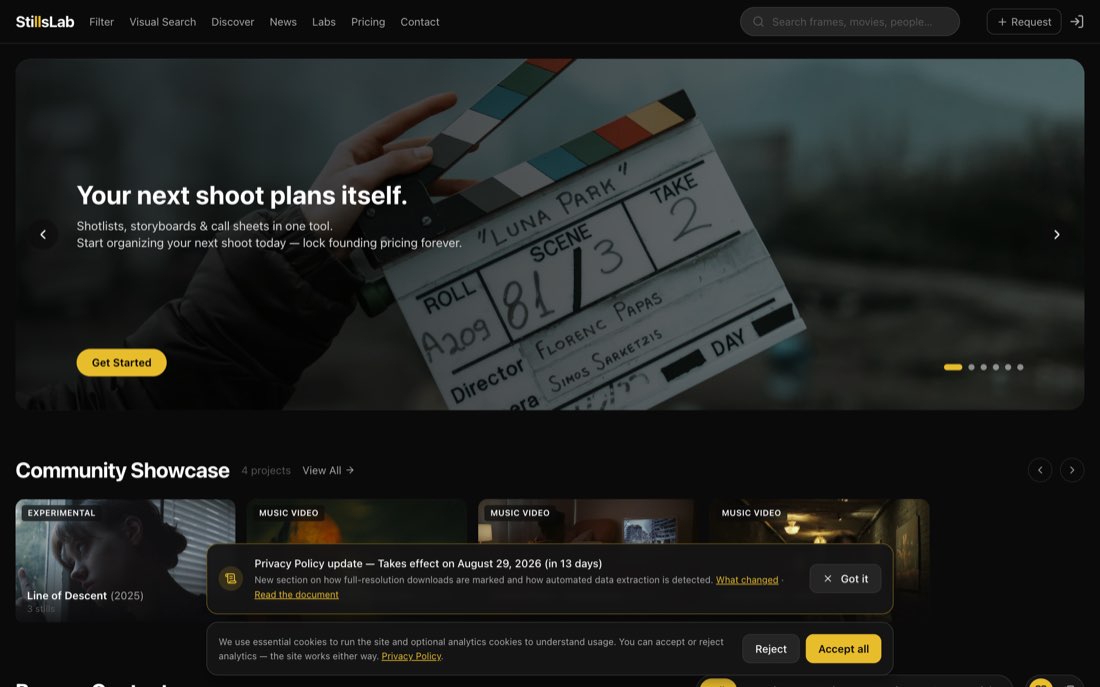
StillsLab — single frames pulled from films and series, searchable by what is in the picture, kept at full quality. Five thousand frames from Dark alone, the new season of Euphoria, and so on.
What it is for, here. Naming the look before writing a prompt. Instead of « cinematic », open a frame and take from it what is actually there: how tight the shot is, where the light comes from, what the colours have been pushed towards, how much air is left above the head. A prompt written from a real frame comes back closer.
What to know before opening it. Its own page is black, and it is a paid product with a free tier: browsing works, the deeper search and the shoot-planning side ask for an account. The frames belong to their studios — they are a reference for our own shot, never something to publish.
A short film built from a sentence
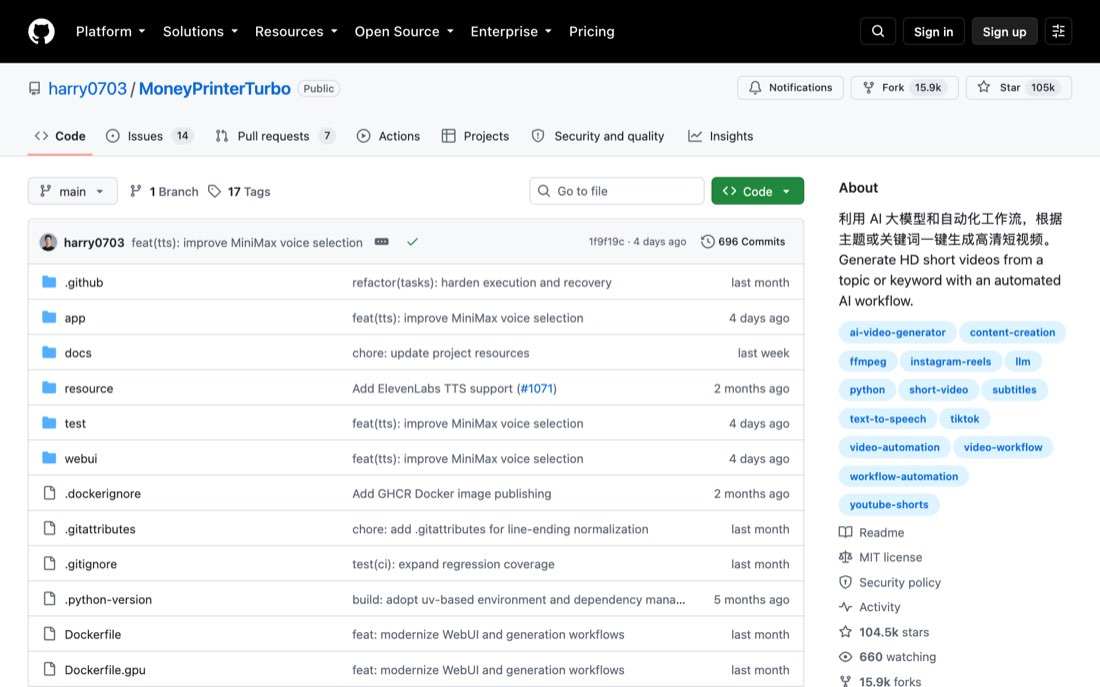
MoneyPrinterTurbo — you give it a subject; it writes the script, pulls the keywords out of the script, finds footage for each keyword, reads the text aloud, burns the subtitles, lays music underneath and assembles a vertical short. MIT, free, with a web page and an interface a session can call, so it can be driven rather than clicked.
What is worth having. The assembly line itself: script, keywords, pictures, voice, subtitles, music, one file out. Every one of those steps is a step we do by hand today when a short is needed.
What we refuse. Its default result: stock footage matched by keyword, a synthetic voice, captions stamped on top. That is the look of a content farm, and nothing carrying a country's name or ours goes out like that. Use it with our own pictures and our own voice, or not at all.
A teaching film from one prompt
GPT-6 Astra made a five-minute teaching video on T cells from one prompt (04-09-2026). Astra wrote the script, made the pictures with image generation, chose HeyGen for the narration, and assembled everything with the Remotion plugin, one shot. Seen in this post (Derya Unutmaz, immunologist).
What it means for the studio. A whole explainer film from one sentence is now a thing a model does end to end. Astra is not ours; the pieces it used, Remotion, a narration voice, generated pictures, are all reachable from the house.
Gemini's agentic video understanding
Gemini now watches a video like an editor, not a filmstrip (04-09-2026). Instead of reading a video at a fixed frame rate, the model decides which moments to look at, at what speed, and whether through frames, audio or transcript. Google claims lower cost and fewer tokens with better accuracy. Seen in this post.
What it means for the studio. Nothing to build here today: Gemini's API refuses calls from Swiss addresses. House memory: reference-gemini-api-geoblock-switzerland.md.