 UI/UX library ›
 Motion
· doctrine: Make pages move
· source video on YouTube
· third Viktor Oddy decode, after
Motion
· doctrine: Make pages move
· source video on YouTube
· third Viktor Oddy decode, after  the Higgsfield MCP tutorial and
  the award-winning-sites video
Google AI Studio: the full-process tutorial
A 21:47 video by Viktor Oddy: a futuristic fashion site with a hover reveal hero and a working shop, built for free in Google AI Studio — every image by GPT Image 2, the video by Seedance 2.0, the design made as a picture before any code.
0:00
The goal, a reveal-effect fashion site
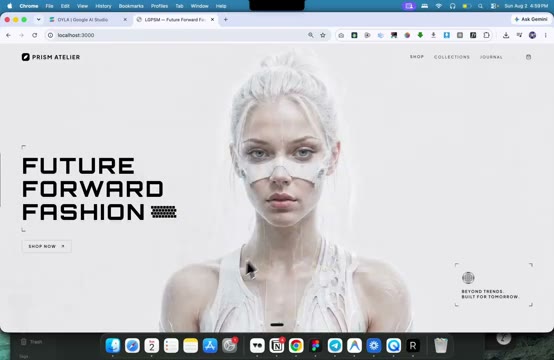
0:05 · the finished site: hover the hero and the futuristic mask wipes off her face- What happens. He shows the result first: a futuristic fashion site whose hero image changes under the cursor, plus the same character turned into a video that works on every device. All of it AI-built; he posts every site with its prompt on motionsites.ai.
- Why it matters. The builder this time is Google AI Studio — free — not Claude + Higgsfield MCP as in his earlier tutorial. Same skeleton, different tools, and two genuinely new tricks below.
0:42
Pinterest twice, a person and a UI
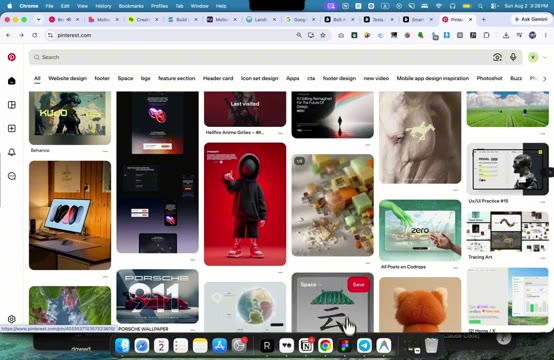
- What happens. Two separate picks: one pin gives the character (a futuristic person with bold text), a second search gives an actual website UI he likes — rejected if dark, kept only in light colors so it fits the design. Both copied, neither copied exactly: "optimize and customize, not exactly copy".
- Why it matters. Same discipline as both earlier decodes: the visual anchor is chosen before any prompt is written.
1:20
Design the page as an image
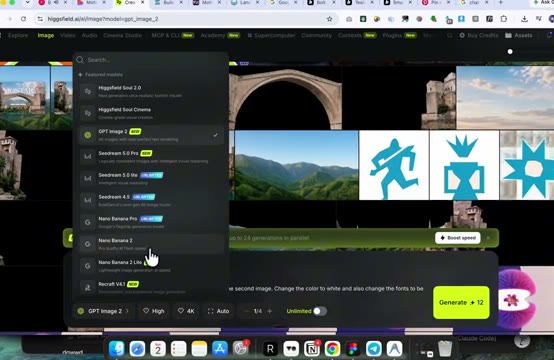 3:36 · the model picker in Higgsfield: GPT Image 2 selected, High, 4K, Auto (Nano Banana sits in the same list)
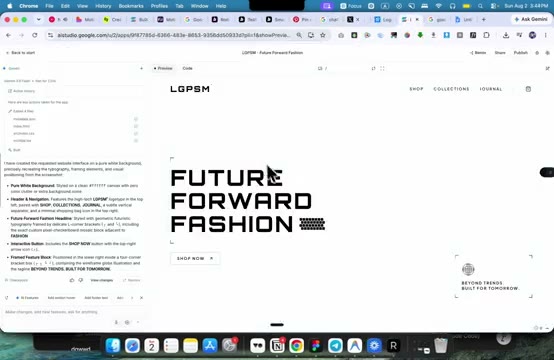 4:20 · the design image handed to AI Studio's build mode: its build notes left, the coded hero right
- What happens. The whole page design is generated as a PICTURE before any code exists. Prompt to GPT Image 2: put the person from image two into the UI from image one, change the color to white, make the fonts futuristic, redesign a little to fit — High quality, 4K, Auto framing. He iterates many times ("this would rarely be something you use from the first design"): cheap image generations, not code edits. The winning picture goes to AI Studio, which recreates it as a working page.
- Why it matters. This is the big new trick of this video. The taste work happens where iteration costs centimes; the code AI receives a finished picture as its contract — the same role our recreation prompts play, with the picture doing the describing.
4:29
The mask pair, two images one pose
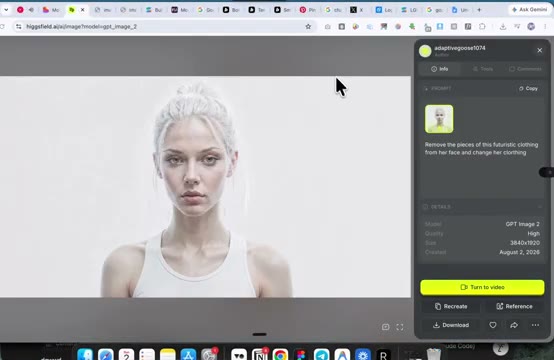 5:51 · the second image of the pair: same pose, futuristic pieces removed from her face (GPT Image 2, 3840×1920)
- What happens. Two follow-up asks on the winning design: first "remove every text, every button, every UI element, keep just the background with this person"; then "remove the pieces of this futuristic clothing from her face". Result: two images in exactly the same pose with one difference between them.
- Why it matters. The hover reveal effect — the cursor wiping one image away to show the other — is really an asset discipline, not a code trick. The pair IS the effect; the code that runs it is borrowed in the next step.
6:01
Wire the reveal in AI Studio
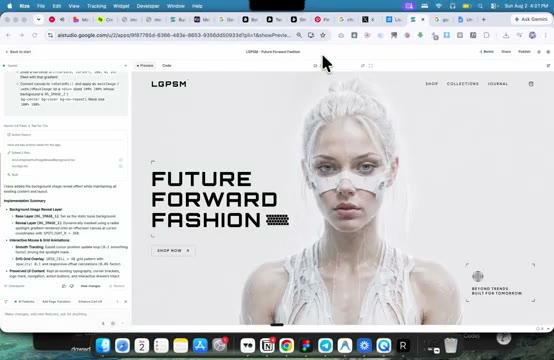 6:53 · first prompt's result: the pair wired in, the image changes under the cursor
- What happens. He never describes the effect. He copies the ready reveal prompt from motionsites.ai, replaces its two asset links with his pair, and adds one guard line: "do not change any content that we already have on the page". One follow-up fixes mobile: image below the text, static, no reveal.
- Why it matters. The written, reusable prompt as the contract — with a do-not line — is exactly the recreation-prompt discipline from the first decode, here bought off the shelf.
7:47
One prompt, a whole shop; reskin the video
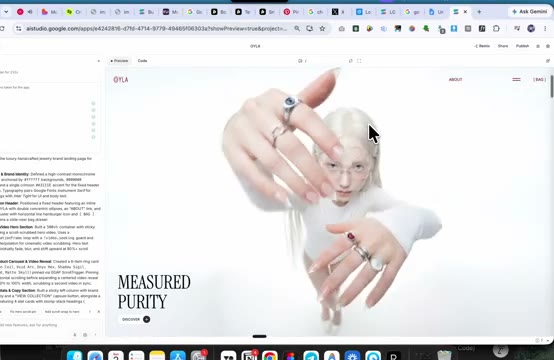 8:27 · one long motionsites prompt, one working shop: scroll videos, cart, mobile
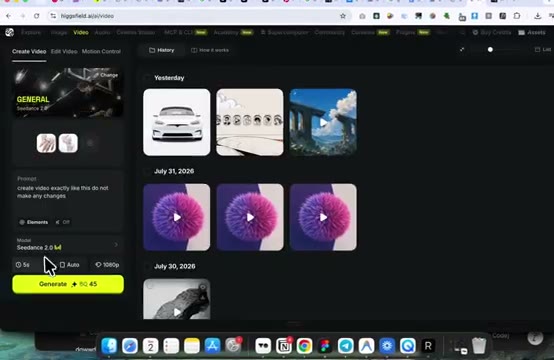 10:16 · Seedance 2.0: reference video + new first frame, "create video exactly like this, do not make any changes"
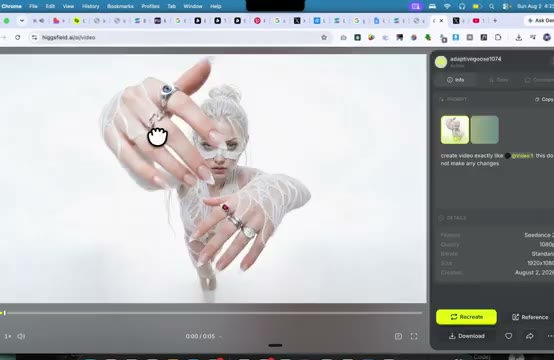 11:19 · the received clip: the template's motion, his character
- What happens. A long ready e-commerce prompt pasted once into AI Studio's build mode returns a full shop. To make its hero video his own: ask AI Studio for the video's link, copy its first frame, put the new character into that frame with GPT Image 2, then hand Seedance 2.0 the original video plus the new frame, same 5-second length, "create a video exactly like this, do not make any changes". Download, swap the link.
- Why it matters. Video reskin by reference: any template clip becomes yours without describing motion at all. One good master clip can be re-skinned per character, per client, per page.
14:30
Export to Google Antigravity
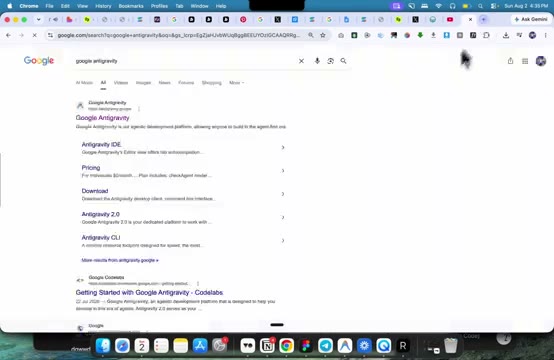 14:47 · Google Antigravity, Google's free code editor, the step after AI Studio
- What happens. AI Studio is his "good first step"; once the site grows he exports the code (GitHub connect, or the built-in export, or a plain download when export fails — it did, on camera) into Antigravity: more models to pick from, and assets can be dragged straight in.
- Why it matters. The builder is disposable; the assets and prompts are the product. For us the builder is Claude Code, and the Higgsfield MCP already puts the assets inside the conversation — his manual download-upload loop is the friction the MCP removed.
16:37
More pages, image first
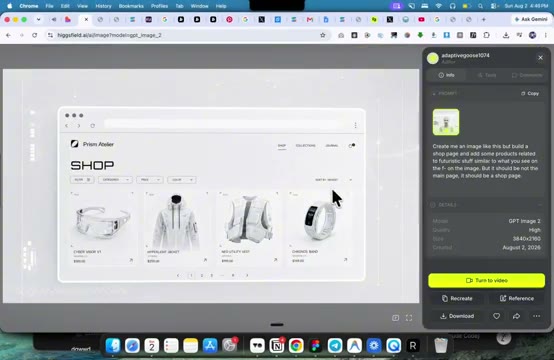 17:29 · the shop page designed AS AN IMAGE first: "create me an image like this, but a shop page"
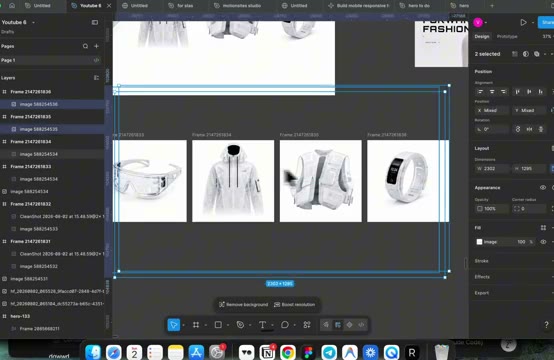 19:56 · products cut out in Figma: four square frames, remove background, export PNG
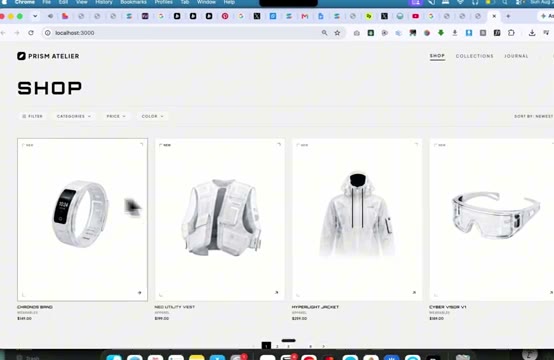 21:24 · the finished shop, live: each product wired to the cart, mobile responsive
- What happens. The shop page repeats the image-first move, then splits the design into build material: one derivative image with the product pictures removed (the build instruction for the code AI) and one with the four products alone, no UI. The products are cut out in Figma as transparent PNGs and uploaded; the AI wires each to the cart. Content edits need no method at all — "just talk to the AI".
- Why it matters. Design image → empty-UI instruction → separate assets is a clean, repeatable pipeline for every further page of a site — and the cutout step is one command in our own toolkit, no Figma needed.
What we take from it
- Design the page as an image first. Iterate the look in an image model at centimes, then hand the winning picture to Claude Code as the contract. The picture joins the recreation prompt as spec.
- An interactive effect is an asset pair. A reveal needs two images, same pose, one difference. Order the pair before touching code; borrow the code from a proven prompt.
- Reskin video by reference. "Exactly like this video, new character" (Seedance 2.0, reference clip + new first frame) turns one master clip into many — the same logic as our avatar factory's master clip.
- The builder is disposable, we keep ours. His chain (AI Studio → Antigravity, assets moved by hand) confirms the pipeline matters, not the tool. Claude Code + Higgsfield MCP already does this loop without the manual asset shuffle; AI Studio stays our free front door to Google's image and scene models, per the doctrine.