 UI/UX library ›
 Motion
· doctrine: Make pages move
· source video on YouTube
· sits with
Motion
· doctrine: Make pages move
· source video on YouTube
· sits with 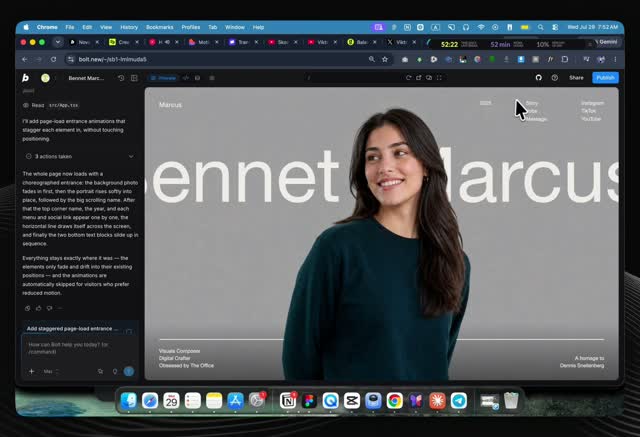 the earlier Viktor Oddy tutorial,
  the NovaAI prompt and the motionsites.ai analysis
How I build & sell award-winning websites with AI
A 14:35 video by Viktor Oddy (Founder, Design Rocket / motionsites.ai): the full loop from a Pinterest mood board to a shipped, scroll-animated site with Claude Fable 5, then how he turns the same clips into clients on X.
0:00
Over 100 sites, all AI, all in code
0:00 · one of his own finished sites, shown before the method is explained- What happens. He states the claim straight: he has built more than 100 websites with AI, every one animated, with video and interaction, none of it in Figma, all of it mobile responsive. He will use Claude Fable 5 for this build, run either from the Claude desktop app or from Cursor (his own daily driver, faster in his experience, not sponsored). He says any AI coding tool, even Google AI Studio, would also work.
- Why it matters. The showcase sets the bar before the method: a working, animated, mobile-ready site, built and coded by AI end to end.
1:10
Find the look on Pinterest
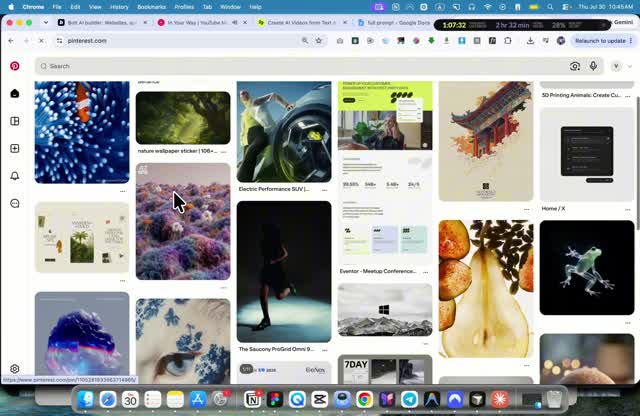
- What happens. The process always starts with assets, not code. He types the visual idea straight into Pinterest, here "abstract 3d forms hanging with wide cable", and browses what designers have already made. He is explicit that copying is not the point, inspiration is.
- Why it matters. A picked reference gives the whole build one visual anchor before a single prompt is written, exactly the discipline used for the recreation-prompt trick in the earlier tutorial.
1:37
Generate the moving asset with Higgsfield
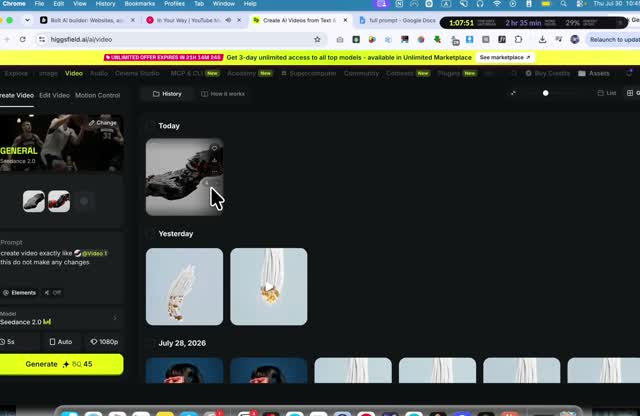 1:47 · Higgsfield, generating the video from the Pinterest still
- What happens. The still becomes a video on Higgsfield (his tool of choice, not sponsored, cheaper options exist). Sample prompt: "use image 1 as the first frame and image 2 as the second frame, the top of the cable stays fixed in place, never moving, the bottom end of the cable extends, growing longer and moving downward." If a reference video exists, the simplest move is asking the AI to copy it, then iterating.
- Why it matters. This is the whole secret of the genre: the "3D animation" on these sites is a rendered video of a 3D scene, not a computer drawing 3D shapes live in the browser, exactly what the motion doctrine's "one secret" already states.
2:48
Borrow a UI style from motionsites.ai
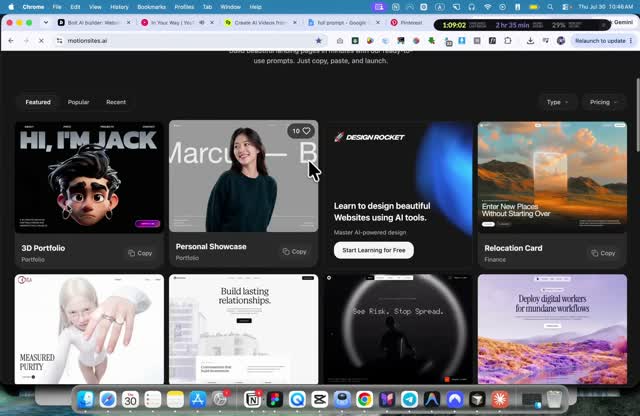 2:58 · the motionsites.ai prompt library, his own product
- What happens. Rather than ask the AI to invent a front end from nothing, he opens motionsites.ai, picks a card he likes (Recent or Free filters), copies its prompt, starts a new folder in Cursor, and pastes it in with a voice command, dictated through VoiceOS. He strips the prompt down to fonts and UI tokens only, since the layout itself will be custom.
- Why it matters. A style prompt is a shortcut to font pairing, spacing and color tokens that already read as designed, the same library already logged in the motionsites.ai analysis.
3:16
Prompt Claude Fable 5 in Cursor
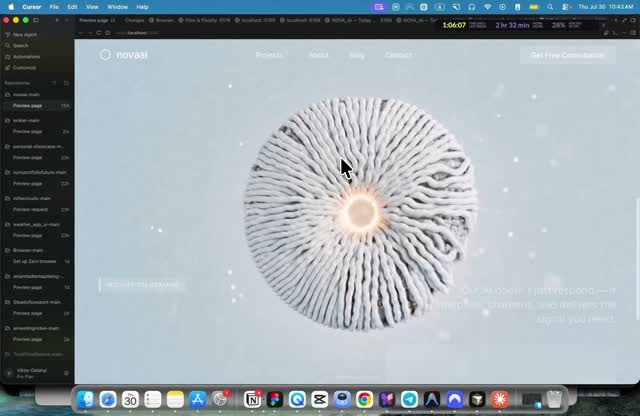
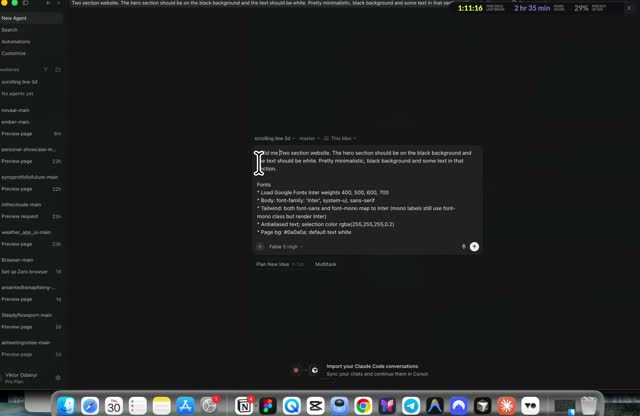 4:47 · the model picker set to Fable 5, high effort
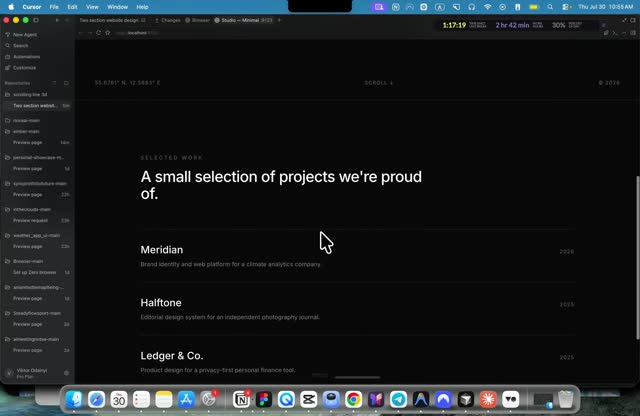 5:06 · the first result, plain hero plus a projects section
- What happens. With only fonts and tokens carried over, he writes the real brief himself: "build me a simple two-section website, the hero section should be on a black background and the text should be white, very minimalistic, no other elements on the page, then under the hero another section, also minimalistic, black background, some text." He selects Claude Fable 5 and sends it.
- Why it matters. The style prompt and the content brief are kept separate on purpose, one carries look, the other carries structure, so neither muddies the other.
5:11
Wire the video as a scroll-scrubbed background
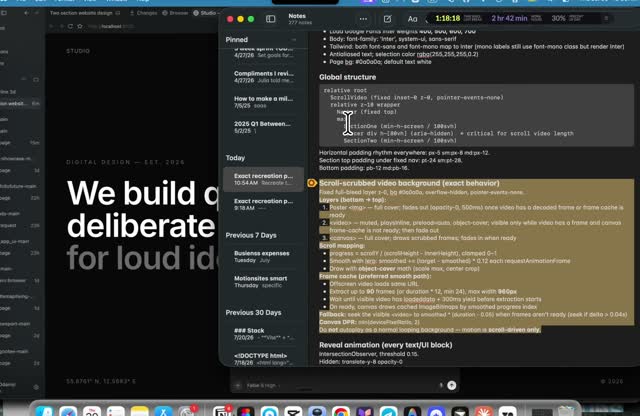 5:38 · the written "scroll-scrubbed video background" spec he pastes in
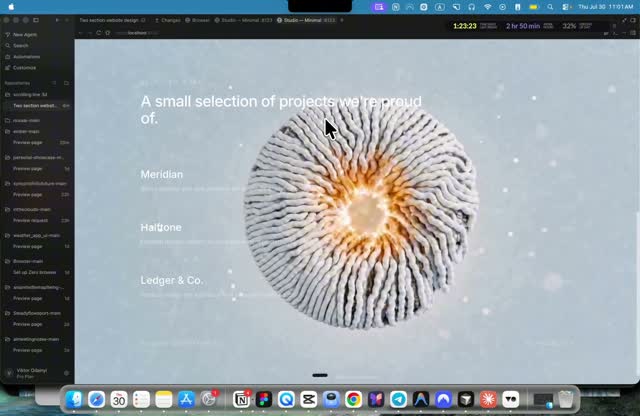 6:32 · the Higgsfield video now playing as the hero background
- What happens. He swaps in the Higgsfield video and pastes a second, separate block from his saved prompt: a written "scroll-scrubbed video background" spec, so the video's own playhead follows scroll position instead of autoplaying. Two extra instructions land in the same pass, no overlay on the video, do not change page colors, keep the video full opacity. For sites that must stay light on phones, he flags an alternative, converting the clip to a JPG frame sequence first with a tool like ezgif's video-to-JPG converter, so nothing ever has to decode a video file.
- Why it matters. This is the exact "scrub" technique already specified in the NovaAI recreation prompt: smoothed scroll tracking so motion glides rather than jumps, a cache of pre-loaded frames, and a fallback for a reader who asks for less motion. Seeing it typed live, twice across two different videos, confirms it as a real, repeatable spec, not a one-off trick.
6:37
Polish, then ship in under 10 minutes
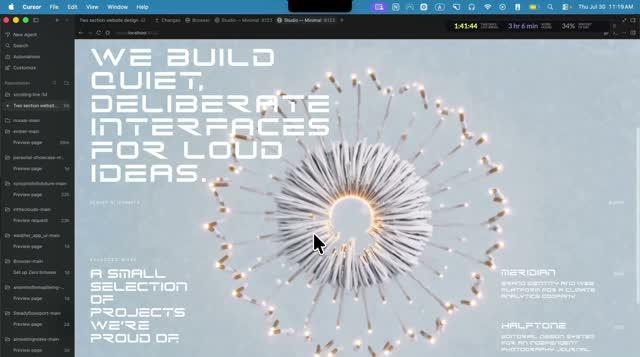
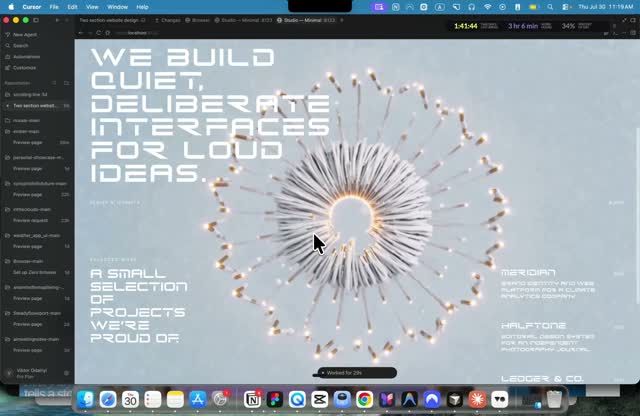 8:43 · the finished hero, "we build quiet, deliberate interfaces for loud ideas"
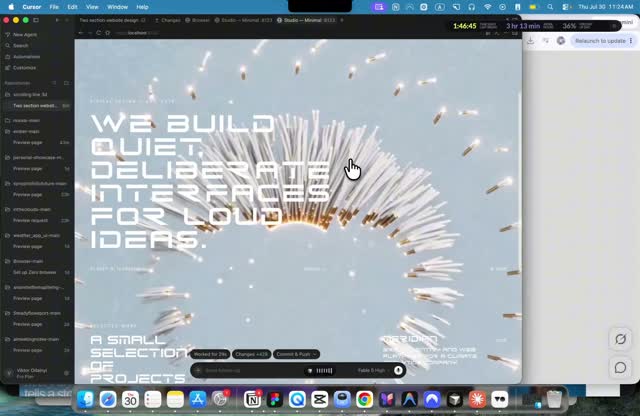 13:44 · the same result, reused as B-roll later in the video
- What happens. Two more short passes close the gap: raise every low-opacity text block back to full opacity and re-center the content, then add nav links and rebalance the second section's layout, left, right, empty center. He tries one more variant, a "futuristic" font pulled from a second motionsites.ai prompt, applied to type and color only, no new images. His own number for the whole loop: under 10 minutes for something solid, 30 minutes to an hour for something he calls award-winning.
- Why it matters. Nothing here is one giant prompt, it is four or five small, targeted corrections, each fixing exactly one thing (opacity, layout, nav, font), which is what keeps a fast build from drifting.
8:52
Grow on X, then sell the leftover clips
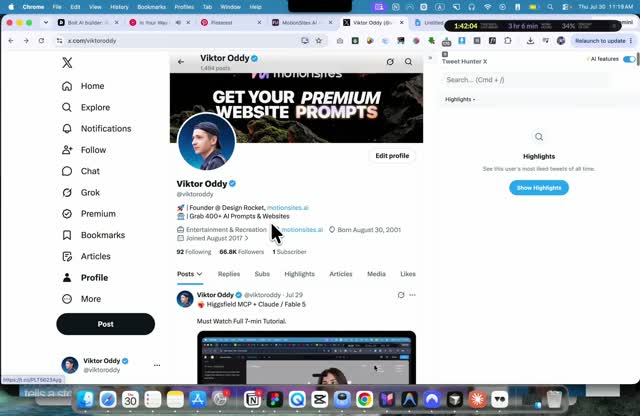 9:03 · his own X (Twitter) profile, 66,800 followers, ~90% of his clients
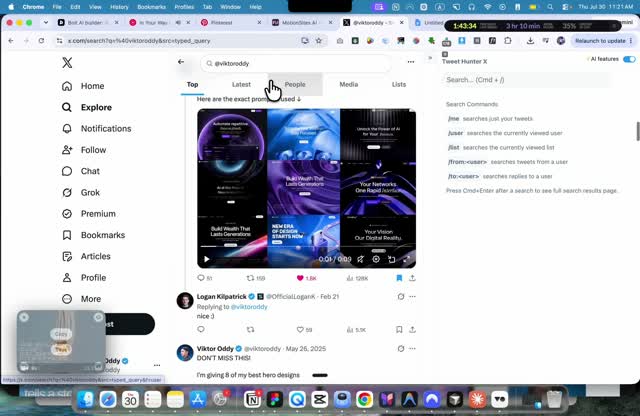 10:33 · a post that went viral after tagging one bigger account
- What happens. He calls X his best client channel, better than Upwork or YouTube, a year of posting took him to 66,800 followers and about 90% of his customers. The recipe: screen-record the build with a paid tool (CleanShot or Screen Studio, Mac only), post it in high quality, and tag exactly ONE account bigger than his own, never several, since a company that reposts a multi-tag post ends up advertising its own competitors. A post that reached Logan Kilpatrick (Google AI Studio) this way, and another that used one of his motionsites.ai prompts, both went viral this way. He closes with a monetization idea, packaging 20, 40 or 100 of these Higgsfield background clips and selling them through a store like Lemon Squeezy, his own back-of-envelope math: 10 buyers a day on a $49 pack is close to $14,000 a month.
- Why it matters. Distribution is treated as seriously as the build itself, one high-quality post, one tag, is his stated growth engine, not volume posting.
What we take from it
- The pipeline holds up a second time. Pinterest for the look, Higgsfield for the moving asset, motionsites.ai for the UI style, Claude Fable 5 to wire it, the same four-part loop as the earlier tutorial, confirming it is a real repeatable method for our own animated pages, not a one-off demo.
- Scroll-scrub is now proven twice, live. The exact spec in the NovaAI prompt is what he types on screen here too, safe to treat as our default recipe for video-backed heroes.
- Frame-sequence is the fallback for weight-sensitive pages. When a video backdrop must stay light on phones, a JPG frame sequence (his tool: ezgif) avoids decoding a video at all, worth adding to the motion doctrine's technique shelf.
- Small, separate corrections beat one giant prompt. His fixes always name ONE thing, opacity, layout, nav, font, matching our own build-then-adversarial-review rhythm rather than one long brief.
- Distribution is part of the product. If we ever publish our own animated builds or avatar videos publicly, his rule (one high-quality clip, one tag to a bigger account, never several) is a cheap, concrete growth tactic worth keeping in mind.